Urban VPN Extension: Features, Setup, and What to Know
Learn what the Urban VPN extension does, how to find and use it, and what to consider before relying on it.
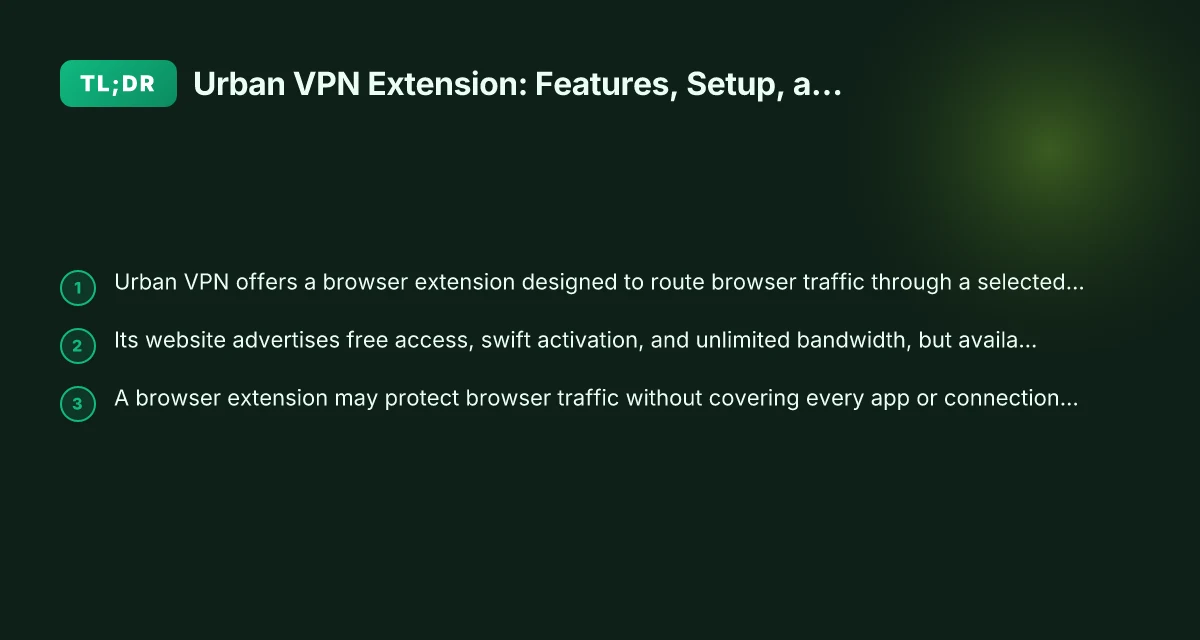
The Urban VPN extension is a browser add-on intended to help users access websites through a VPN connection. Urban VPN describes its browser extension as a free option with swift activation and unlimited bandwidth, and promotes it for Chrome and Firefox. Before installing it, check the current listing in your browser’s official extension store and review its permissions and privacy information.
Compare the Urban VPN extension with other connection options
| Option | Where it runs | Setup | Best for | Key consideration |
|---|---|---|---|---|
| Urban VPN extension | Compatible desktop browsers | Add from browser store | Quick browser use | Check permissions and privacy terms |
| Urban VPN desktop app | Supported computers | Install the app | Device-wide connections | Confirm operating-system support |
| Urban VPN mobile app | Supported phones and tablets | Install the app | Mobile browsing | Confirm app availability |
| Browser private mode | Browser only | Open a private window | Limiting local browsing history | Does not hide activity from networks |
| Browser built-in proxy | Browser only | Enable in settings | Basic browser routing | Availability varies by browser |
| Paid VPN service | Devices listed by provider | Install app or extension | Broader support options | Review pricing and privacy policy |
Compiled November 2026; check the provider's site for current details.
| VPN | Obfuscation | From / month | Plan | Free plan | Refund | Alipay | UnionPay | Crypto | Website opens in China | Trustpilot | |
|---|---|---|---|---|---|---|---|---|---|---|---|
 ZoogVPN | Turn on manually Shadow | $2.49/mo | 27 months: $59.99 | Yes | 7 days | ✓ | ✓ | ✓ | ✓ | Official site blocked; our special link opens (4.4 s) | 4.2/5 (195 reviews) |
 NordVPN | Turn on manually Obfuscated Servers / NordWhisper | $3.49/mo | 27 months: $94.23 | No | 30 days | ? | ✗ | ✓ | ✓ | ✗ Blocked | 4.2/5 (51,628 reviews) |
 ExpressVPN | ✓ On by default all servers | $3.00/mo | 28 months: $84 | No | 30 days | ✗ | ✗ | ✓ | ✗ | ✗ Blocked | 4.4/5 (29,706 reviews) |
 Surfshark | ✓ On by default Camouflage, with OpenVPN | See site | See site | No | 30 days | ✗ | ✗ | ✗ | ✓ | ✗ Blocked | 4.3/5 (31,823 reviews) |
 Proton VPN | Turn on manually Stealth, free plan too | $2.99/mo | 12 months: $35.88 | Yes | 30 days | ✗ | ✗ | ✗ | ✓ | ✗ Blocked | 2.1/5 (1,040 reviews) |
 Astrill VPN | Turn on manually StealthVPN / OpenWeb | $12.50/mo | 24 months: $300 | No | See site | ✗ | ✗ | ✗ | ✓ | ✗ Blocked | 1.3/5 (110 reviews) |
 Private Internet Access | Turn on manually Shadowsocks, OpenVPN only | $2.03/mo | 40 months: $81.2 | No | 30 days | ✗ | ✗ | ✗ | ✗ | ✗ Blocked | 4.2/5 (11,033 reviews) |
 CyberGhost | Turn on manually selected servers | $2.19/mo | 28 months: $61.32 | No | 45 days | ✗ | ✗ | ✗ | ✓ | ✗ Blocked | 4.0/5 (24,178 reviews) |
 PureVPN | Turn on manually switch to OpenVPN | $1.69/mo | 60 months: $101.55 | No | 31 days | ? | ? | ✗ | ✓ | ✗ Blocked | 4.4/5 (17,994 reviews) |
 AdGuard VPN | ✓ On by default TrustTunnel | $2.99/mo | 24 months: $71.76 | Yes | 30 days | ✓ | ✗ | ✓ | ✓ | Official site blocked; our special link opens (3.7 s) | 4.3/5 (290 reviews) |
 Mullvad | Turn on manually QUIC / Shadowsocks / LWO | $5.61/mo | €5/mo | No | 14 days | ✗ | ✗ | ✗ | ✓ | ✗ Blocked | 3.2/5 (192 reviews) |
 Windscribe | Turn on manually Stealth / WStunnel | $5.75/mo | 12 months: $69 | Yes | See site | ✗ | ✗ | ✗ | ✓ | ✗ Blocked | 4.7/5 (13,355 reviews) |
 StrongVPN | Turn on manually Scramble, OpenVPN TCP | See site | See site | No | 30 days | ✓ | ✗ | ✗ | ✗ | ✗ Blocked | 4.4/5 (2,695 reviews) |
 LightXtreme 闪连 | Not listed | $7.08/mo | 12 months: $84.99 | Yes | 30 days | ✓ | ✓ | ✓ | ✓ | ✓ Yes (3.5 s) | No page |
Prices checked 2026-11-10 on each vendor's pricing page (cheapest long plan, USD). Check the vendor's checkout for the final price.
Obfuscation checked 2026-11-14 on each vendor's site and help center: "on by default" = nothing to set; "turn on manually" = switch protocol or mode in settings; "not listed" = the vendor describes no obfuscation.
Payment methods checked 2026-11-10 on each vendor's payment pages: all 14 take cards and PayPal; ✗ = not listed, ? = the vendor's own pages disagree.
China access: whether the official website opens from mainland China networks (tests the website only, not the VPN connection). Last checked 2026-11-18 01:02 Beijing time.
Trustpilot score and review count checked 2026-11-10.
What is the Urban VPN extension?
Urban VPN’s browser extension is a lightweight way to connect a browser to a VPN service without installing a full desktop app. Depending on the version and browser, the extension may let you select a server location and switch the connection on or off from the browser toolbar.
Urban VPN promotes the extension for accessing websites and content that may not be available from your usual location. Its website also describes security-related features intended to help shield browsing from phishing attempts, malware, and intrusive ads. These are the provider’s claims. An extension should not be treated as a guarantee that every threat will be blocked or that every site will become accessible.
A browser extension and a full-device VPN are not necessarily the same thing. An extension may route activity from the browser where it is installed, while other apps on your computer continue to use your regular internet connection. Check the product details to understand exactly what traffic it covers.
Features and availability
Urban VPN’s website lists its browser extension for Chrome and Firefox and advertises unlimited bandwidth and swift activation. The Chrome Web Store search result also describes Urban VPN Proxy as a free VPN option for accessing websites and unblocking content. NordVPN Login: How to Sign In and Fix Common Problems
However, extension availability can change. Search results and user discussions may show conflicting or outdated information about whether an add-on is listed in a particular store. The most reliable way to confirm availability is to search directly in your browser’s official extension store and check that the publisher and product details match the service you intend to install.
| Option | What it is intended to cover | Where to check |
|---|---|---|
| Urban VPN browser extension | Browser activity in the browser where the add-on is installed | The browser’s official extension store and Urban VPN’s website |
| Urban VPN desktop app | Device-level VPN functionality, depending on the app and its settings | Urban VPN’s official download page |
Urban VPN also lists a PC and laptop VPN for Windows, with its website stating compatibility with Windows 11, Windows 10, Windows 8, and Windows 7. Confirm current system requirements on the official site before downloading, as product support can change.
Urban VPN extension setup and use checklist
| Step | What to do | What to check | If it does not work |
|---|---|---|---|
| 1. Confirm compatibility | Check your browser and operating system | Extension is listed for your browser | Try a supported browser |
| 2. Find the listing | Use the browser’s official extension store | Publisher and product name match | Avoid unfamiliar download sites |
| 3. Review permissions | Read the requested access | Permissions suit your needs | Do not install if uncomfortable |
| 4. Install | Select the store’s install option | Extension appears in the toolbar | Check browser extensions settings |
| 5. Open the extension | Select its toolbar icon | Controls load correctly | Reload the browser |
| 6. Choose a location | Select an available connection location | The choice is shown as active | Try another available location |
| 7. Test browsing | Visit a site and check access | Connection behaves as expected | Reconnect or review settings |
| 8. Disconnect | Turn off the connection when finished | Browser returns to normal routing | Reopen the extension controls |
Compiled November 2026; check the provider's site for current details. FortiClient VPN: What It Does, How to Connect, and Is It Safe?
How to install and use it
If the extension is available for your browser, use the official store rather than a third-party download site. This helps you verify the listing and review its permissions before installation.
A typical setup looks like this:
- Open your browser’s official extension store.
- Search for “Urban VPN” or “Urban VPN Proxy.”
- Confirm the listing and publisher details, then read the permissions and privacy information.
- Select the option to add or install the extension.
- Open the extension from the browser toolbar and follow its setup instructions.
- Choose a location if one is offered, connect, and check that the extension indicates an active connection.
If the extension does not appear in the store, do not assume that an unofficial download is equivalent. Check Urban VPN’s official website for current availability and supported browsers. If you already installed an extension but it has disappeared from the store or stopped working, review your browser’s extension settings and consult the provider’s current guidance before reinstalling it.
Privacy and security considerations
A VPN can change how your internet connection is routed, but it does not make you anonymous by itself. Websites may still identify you through account sign-ins, cookies, browser fingerprinting, or information you choose to share. A VPN also does not replace safe browsing habits or device security software. Forticlientvpninstaller.exe: Download, Install, and Troubleshoot FortiClient VPN
Before using the Urban VPN extension, consider these points:
- Review permissions. Understand what data or browser functions the extension can access.
- Read the privacy policy. Check what information the service collects, how it is used, and how long it is retained.
- Check the connection scope. Confirm whether the extension covers only browser traffic or whether a separate app is needed for other programs.
- Avoid sensitive assumptions. Do not assume that a VPN makes online banking, work activity, or personal accounts risk-free.
- Verify the listing. Install only from the official browser store or follow links provided by Urban VPN’s official website.
These checks are useful for any VPN extension. They help you make an informed choice rather than relying only on claims such as “free,” “secure,” or “unlimited.”
Decide whether the Urban VPN extension fits your needs
| Your priority | Extension fit | What to verify | Alternative to consider |
|---|---|---|---|
| Quick browser setup | Suitable to explore | Store listing and permissions | Browser privacy settings |
| Browser-only routing | May be a fit | Which traffic the extension covers | Desktop VPN app |
| Whole-device coverage | Extension may not be enough | Whether other apps are covered | VPN desktop or mobile app |
| Strong privacy assurances | Requires careful review | Privacy policy and data practices | Provider with clearer disclosures |
| Sensitive work or browsing | Use caution | Security claims and organizational rules | Approved workplace VPN |
| Access to a specific location | Depends on availability | Location appears in the extension | Provider with the needed location |
| Simple everyday browsing | Could be convenient | Connection behavior and terms | Browser’s built-in protections |
| Avoiding subscription costs | Check current terms | Whether features or limits apply | Compare free and paid services |
Compiled November 2026; check the provider's site for current details. VPN to Change Location Free: What Works and What to Check
Is it the right option for you?
The Urban VPN extension may suit someone looking for a quick browser-based VPN option and who is comfortable using a browser add-on. Its advertised free access and unlimited bandwidth may appeal to people who want to try basic functionality without installing a desktop client.
It may be less suitable if you need VPN coverage across all applications, have strict privacy requirements, or need a specific feature that the extension does not clearly document. In those cases, compare the extension with the desktop app and review the provider’s current privacy and product information before deciding.
Recommendation
If you want to try the Urban VPN extension, first confirm that it is currently available in your browser’s official store, then review its permissions and privacy policy before installing it. Use the extension only for the browser activity it actually covers, and consider Urban VPN’s desktop option if you need broader device-level coverage.