How Can I Tell If a VPN Is Blocking My Internet?
Learn how to check whether your VPN is disrupting internet access and how to troubleshoot safely.
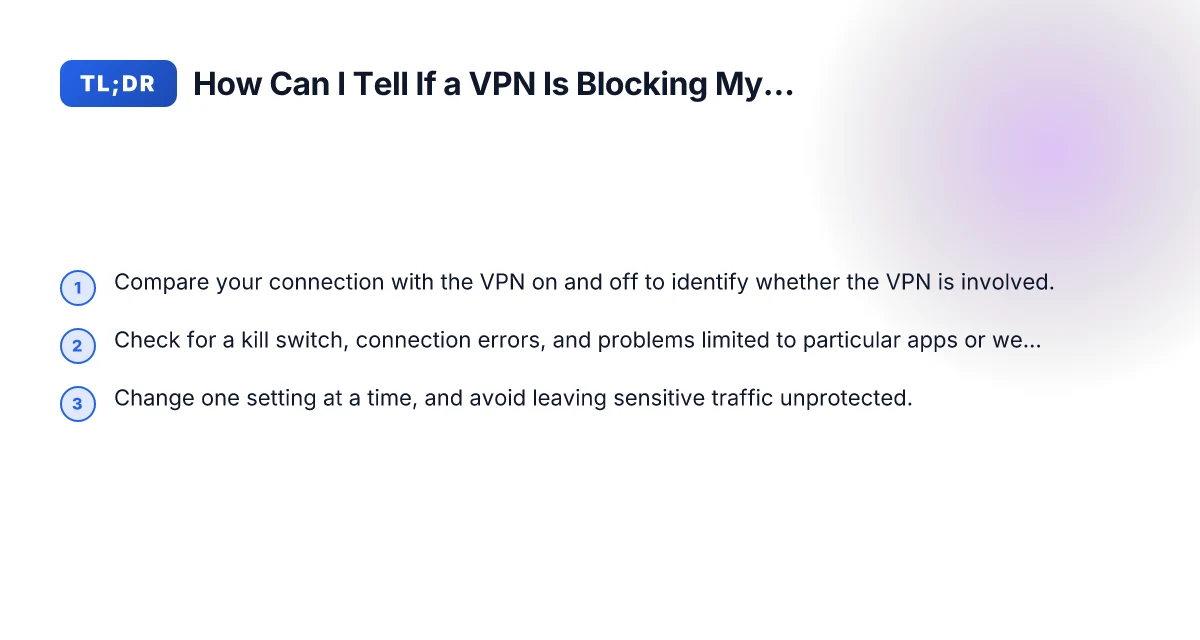
If you’re asking, “How can I tell if a VPN is blocking my internet?” try the same connection with the VPN on and off. If the internet works with the VPN disconnected but stops working when it connects, the VPN or one of its settings may be interrupting access. If it fails in both cases, your Wi-Fi, device, router, or internet provider is more likely to be the cause. A few simple checks can help you narrow it down.
Compare VPN-off and VPN-on results to see whether the VPN may be blocking access
| Check | VPN off | VPN on | What the result suggests |
|---|---|---|---|
| Open the same website | Works | Fails | VPN connection or settings may be involved |
| Try a second website | Works | Fails | Check VPN filtering or routing |
| Load a familiar app | Works | Fails | App traffic may be affected by the VPN |
| Try another network | Works | Fails | Network and VPN interaction may be involved |
| Turn VPN back on | Works | Fails again | VPN is a stronger suspect |
| Turn VPN off again | Works | Works | Look for an intermittent VPN issue |
| Check the VPN status | Not connected | Connected | Confirm the connection is active before testing |
| Compare results over time | Works consistently | Fails intermittently | Troubleshoot the VPN connection |
Compiled November 2026; check the provider's site for current details.
| VPN | Obfuscation | From / month | Plan | Free plan | Refund | Alipay | UnionPay | Crypto | Website opens in China | Trustpilot | |
|---|---|---|---|---|---|---|---|---|---|---|---|
 ZoogVPN | Turn on manually Shadow | $2.49/mo | 27 months: $59.99 | Yes | 7 days | ✓ | ✓ | ✓ | ✓ | Official site blocked; our special link opens (4.4 s) | 4.2/5 (195 reviews) |
 NordVPN | Turn on manually Obfuscated Servers / NordWhisper | $3.49/mo | 27 months: $94.23 | No | 30 days | ? | ✗ | ✓ | ✓ | ✗ Blocked | 4.2/5 (51,628 reviews) |
 ExpressVPN | ✓ On by default all servers | $3.00/mo | 28 months: $84 | No | 30 days | ✗ | ✗ | ✓ | ✗ | ✗ Blocked | 4.4/5 (29,706 reviews) |
 Surfshark | ✓ On by default Camouflage, with OpenVPN | See site | See site | No | 30 days | ✗ | ✗ | ✗ | ✓ | ✗ Blocked | 4.3/5 (31,823 reviews) |
 Proton VPN | Turn on manually Stealth, free plan too | $2.99/mo | 12 months: $35.88 | Yes | 30 days | ✗ | ✗ | ✗ | ✓ | ✗ Blocked | 2.1/5 (1,040 reviews) |
 Astrill VPN | Turn on manually StealthVPN / OpenWeb | $12.50/mo | 24 months: $300 | No | See site | ✗ | ✗ | ✗ | ✓ | ✗ Blocked | 1.3/5 (110 reviews) |
 Private Internet Access | Turn on manually Shadowsocks, OpenVPN only | $2.03/mo | 40 months: $81.2 | No | 30 days | ✗ | ✗ | ✗ | ✗ | ✗ Blocked | 4.2/5 (11,033 reviews) |
 CyberGhost | Turn on manually selected servers | $2.19/mo | 28 months: $61.32 | No | 45 days | ✗ | ✗ | ✗ | ✓ | ✗ Blocked | 4.0/5 (24,178 reviews) |
 PureVPN | Turn on manually switch to OpenVPN | $1.69/mo | 60 months: $101.55 | No | 31 days | ? | ? | ✗ | ✓ | ✗ Blocked | 4.4/5 (17,994 reviews) |
 AdGuard VPN | ✓ On by default TrustTunnel | $2.99/mo | 24 months: $71.76 | Yes | 30 days | ✓ | ✗ | ✓ | ✓ | Official site blocked; our special link opens (3.7 s) | 4.3/5 (290 reviews) |
 Mullvad | Turn on manually QUIC / Shadowsocks / LWO | $5.61/mo | €5/mo | No | 14 days | ✗ | ✗ | ✗ | ✓ | ✗ Blocked | 3.2/5 (192 reviews) |
 Windscribe | Turn on manually Stealth / WStunnel | $5.75/mo | 12 months: $69 | Yes | See site | ✗ | ✗ | ✗ | ✓ | ✗ Blocked | 4.7/5 (13,355 reviews) |
 StrongVPN | Turn on manually Scramble, OpenVPN TCP | See site | See site | No | 30 days | ✓ | ✗ | ✗ | ✗ | ✗ Blocked | 4.4/5 (2,695 reviews) |
 LightXtreme 闪连 | Not listed | $7.08/mo | 12 months: $84.99 | Yes | 30 days | ✓ | ✓ | ✓ | ✓ | ✓ Yes (3.5 s) | No page |
Prices checked 2026-11-10 on each vendor's pricing page (cheapest long plan, USD). Check the vendor's checkout for the final price.
Obfuscation checked 2026-11-14 on each vendor's site and help center: "on by default" = nothing to set; "turn on manually" = switch protocol or mode in settings; "not listed" = the vendor describes no obfuscation.
Payment methods checked 2026-11-10 on each vendor's payment pages: all 14 take cards and PayPal; ✗ = not listed, ? = the vendor's own pages disagree.
China access: whether the official website opens from mainland China networks (tests the website only, not the VPN connection). Last checked 2026-11-18 01:02 Beijing time.
Trustpilot score and review count checked 2026-11-10.
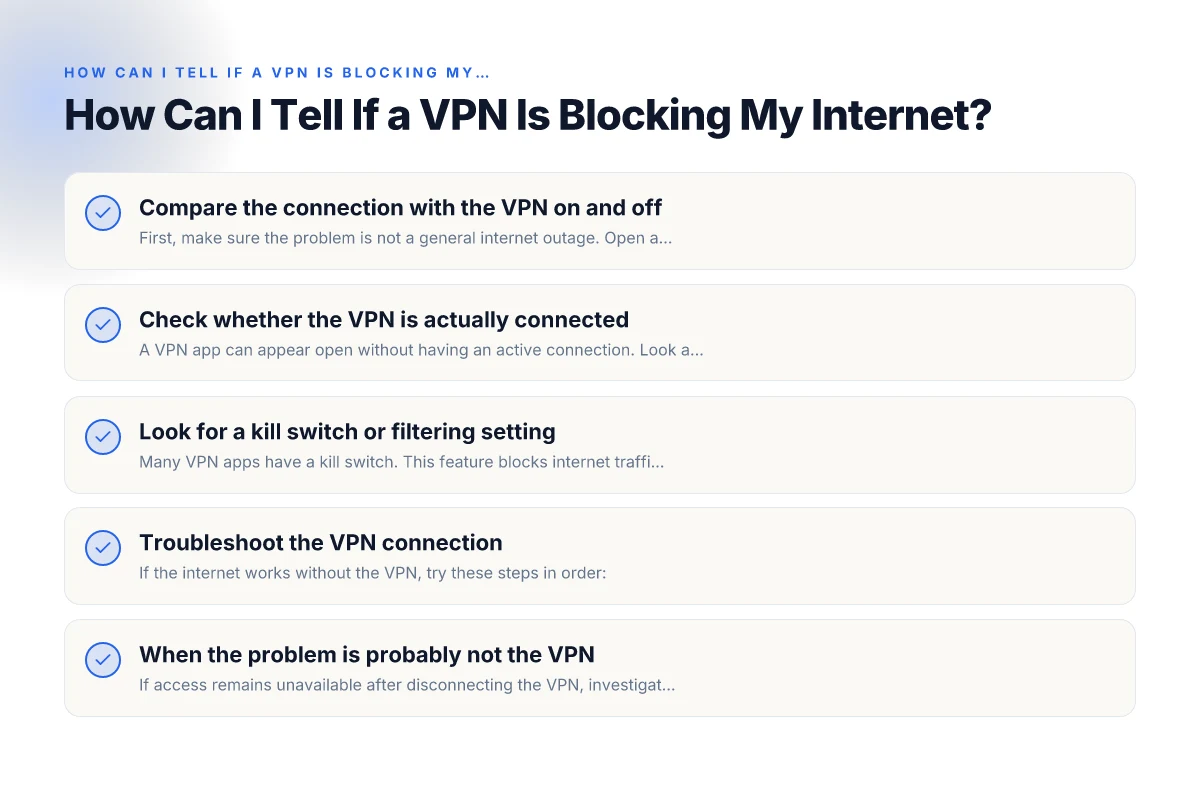
Compare the connection with the VPN on and off
First, make sure the problem is not a general internet outage. Open a few unrelated websites or apps. If none of them load, test another device on the same Wi-Fi network if one is available.
Next, disconnect the VPN and try those same sites or apps again. If they work without the VPN but fail when it is connected, you have a strong clue that the VPN connection, server, or configuration is involved. This does not necessarily mean the VPN is deliberately blocking your internet. A failed connection or security feature may be preventing traffic from passing through.
| What you observe | What it may indicate |
|---|---|
| Internet fails with the VPN on and works when it is off | VPN connection, settings, or server issue |
| Internet fails with the VPN both on and off | Wi-Fi, device, router, or provider issue |
| Only one app or website fails with the VPN on | A site-specific or app-specific issue, or VPN-related filtering |
| VPN says it is connected, but nothing loads | Possible routing, DNS, or kill-switch issue |
When testing without the VPN, remember that your traffic will no longer be protected by the VPN. Keep that test brief, and reconnect as soon as you have checked whether the connection works.
Check whether the VPN is actually connected
A VPN app can appear open without having an active connection. Look at its status and confirm that it says connected. If it shows “connecting,” repeatedly disconnects, or reports an error, try reconnecting. NordVPN for Windows: How to Download, Install, and Use It
You can also check your device’s network settings for a VPN or proxy connection. On a computer, look in the Wi-Fi or network settings. On a Mac, the menu bar may show the VPN status. On phones, check the VPN section in the device’s settings or the VPN app. The exact labels and locations vary by operating system.
If you are unsure whether your public connection is going through the VPN, use a reputable IP-checking service before and after connecting. A changed public IP address can suggest that the VPN is active, though it does not prove that every app is routing through it. Some VPNs offer split tunneling, which lets selected apps use the regular connection instead.
Check VPN settings and connection issues that can affect internet access
| Check | What to look for | Possible effect | What to try |
|---|---|---|---|
| Connection status | Connected or disconnected | Disconnected VPN may leave traffic unavailable | Reconnect to the VPN |
| Kill switch | Enabled or disabled | May block internet when VPN drops | Check its setting |
| Filtering setting | Enabled or disabled | May restrict websites or apps | Review or adjust the setting |
| VPN server | Current server | A server issue may affect access | Try another server |
| VPN app | Current connection state | App may need to reconnect | Disconnect and reconnect |
| Network | Wi-Fi or mobile data | Local connection may be the cause | Test another network |
| VPN-off test | Internet works without VPN | VPN may be involved | Compare the same sites with VPN on |
| Other services | Access with VPN off | A wider outage may be involved | Check whether the issue persists |
Compiled November 2026; check the provider's site for current details. Microsoft Edge Secure Network VPN Reviews: Is It Safe and Worth Using?
Look for a kill switch or filtering setting
Many VPN apps have a kill switch. This feature blocks internet traffic if the VPN disconnects, helping prevent data from going out over your regular connection. If the VPN cannot establish or maintain a connection, the kill switch may make it seem as though the internet has stopped entirely.
Check the VPN app for settings named “kill switch,” “network lock,” or similar. If you suspect the feature is responsible, you can temporarily turn it off to test the connection, but do so only if you understand that traffic may then bypass the VPN. Turn it back on afterward if you rely on it for privacy.
Also check for other settings that may affect access, such as:
- A custom DNS setting
- Split tunneling or app exclusions
- Content or threat filtering
- A proxy configured in the VPN app or device
- A connection protocol that is not working well on your network
Change one setting at a time, then reconnect and test. That makes it easier to identify the cause and undo any change that does not help. Nord VPN in China: Does It Work, and How to Prepare
Troubleshoot the VPN connection
If the internet works without the VPN, try these steps in order:
- Disconnect and reconnect the VPN.
- Choose a different VPN server or location.
- Restart the VPN app and your device.
- Check for an app update and review the VPN provider’s connection guidance.
- Try another available VPN protocol, if the app offers one.
- Temporarily disable a custom DNS or filtering option to see whether it is affecting access.
A particular website may reject or limit traffic from a VPN address, even while other internet services work. Test several unrelated sites before concluding that the VPN is blocking all internet access. If only one destination fails, try another VPN server or contact the site or VPN provider for help.
If the VPN will not connect on one network but works on another, the issue may be specific to the first network. For example, its settings or restrictions may interfere with VPN connections. Avoid trying to bypass workplace or school network rules. Ask the network administrator if the connection is expected to be allowed.
When the problem is probably not the VPN
If access remains unavailable after disconnecting the VPN, investigate the regular connection. Check whether Wi-Fi is connected, restart your router if appropriate, and test another device on the same network. If other devices also cannot get online, contact your internet provider or whoever manages the network. Does Microsoft Edge Have VPN? What Edge Secure Network Does
If only one device has trouble, restart it and check its network or proxy settings. A manually configured proxy can interfere with browsing even when the VPN is off. If the VPN app reports an error, save the exact message before contacting its support team. It can help them identify the cause.
Decide whether the VPN is the likely cause or whether to investigate elsewhere
| Observation | VPN likely? | What it points to | Next step |
|---|---|---|---|
| Internet works off, fails on | Yes | VPN connection or settings | Check status and settings |
| Internet fails both on and off | Less likely | Network or broader outage | Test another network |
| Only one website fails | Unclear | Site-specific issue or filtering | Try another site |
| VPN says disconnected | Possible | VPN is not currently connected | Reconnect and retest |
| Access returns after VPN reconnects | Yes | Connection interruption | Monitor the VPN connection |
| Kill switch is enabled | Possible | Traffic may be blocked during drops | Review the setting |
| Another network works | Less likely | Original network may be involved | Troubleshoot that network |
| VPN-on failure repeats after retesting | More likely | VPN-related issue | Troubleshoot or contact VPN support |
Compiled November 2026; check the provider's site for current details.
Recommendation
The clearest first test is to compare the same sites with the VPN connected and disconnected. If only the VPN-on test fails, reconnect, try another server, and review the kill switch and DNS settings one at a time. Keep the VPN enabled when you are not testing, and contact your VPN provider if the issue continues. Enable VPN in Edge: Turn On Microsoft Edge Secure Network